In today’s fast-changing healthcare world, every clinic, whether small or large, needs to work smarter and faster. Patients expect quick service, correct reports, and a smooth overall experience. That’s exactly where EMR (Electronic Medical Records) software becomes important.
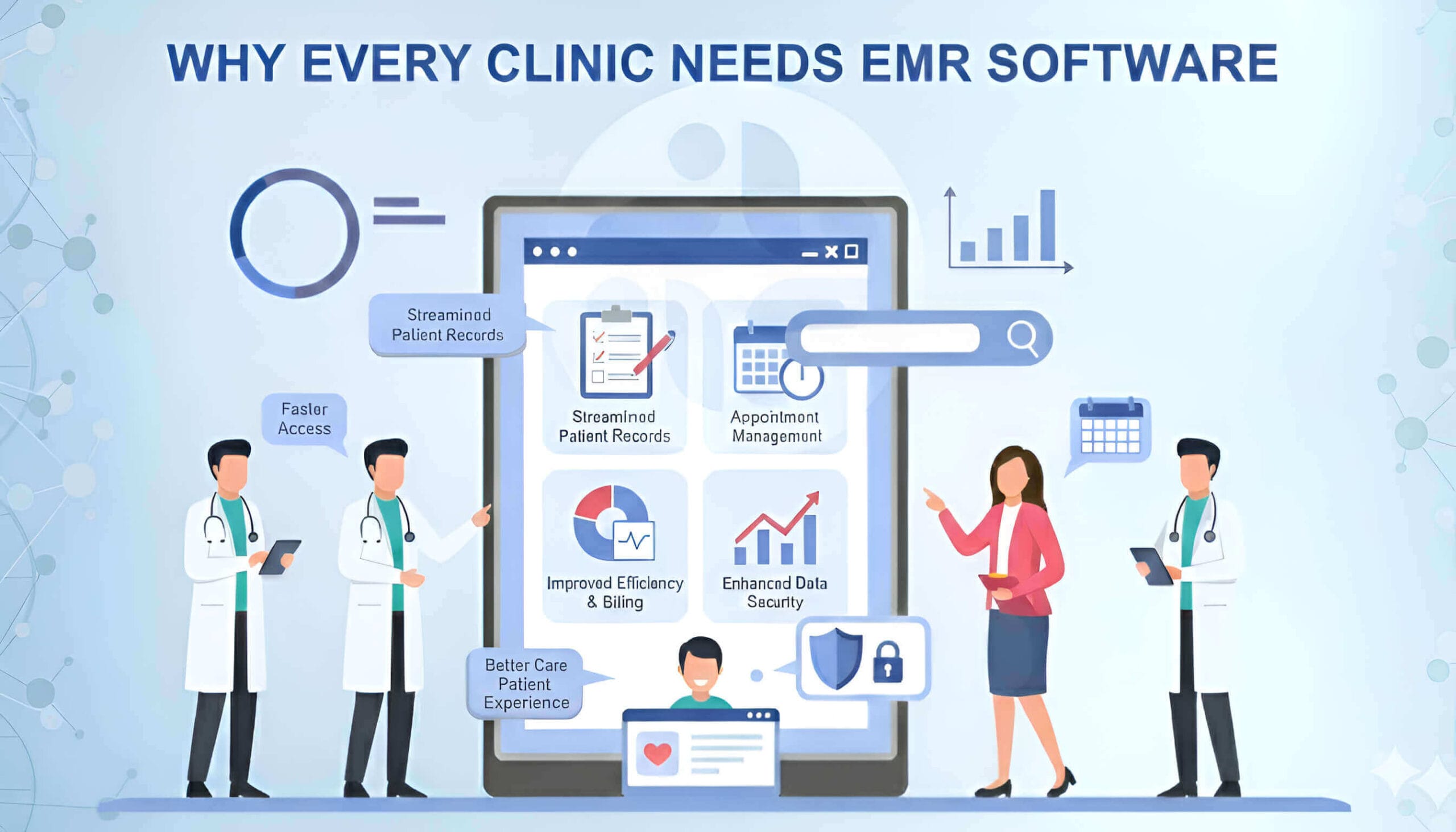
EMR software helps clinics cut down paperwork, reduce mistakes, and keep all patient information, like medical history, prescriptions, Lab reports, and even billing, organized in one place. With modern EMR features, doctors can manage their practice efficiently and provide better patient care.
What is EMR Software?
EMR software is a digital system that stores all patient records safely in one place.
Instead of writing in paper files, doctors can use EMR to see a patient’s history, prescriptions, reports, allergies, and past treatments with just one click.
Healcard provides all these features in a clean and simple dashboard.
Paper Records vs EMR:
- Paper can get lost or damaged → EMR is always safe.
- Paper takes time → EMR is fast and accessible anytime.
- Paper creates clutter → EMR keeps everything organized.
Common features of EMR include patient records, appointments, billing, lab reports, and more.
Real-Life Benefits for Clinics
1. Better Patient Care
When doctors can instantly see a patient’s full history, past treatments, allergies, ongoing medications, and test reports, they make faster and safer decisions.
This leads to:
- More accurate diagnoses
- Fewer treatment mistakes
- Improved patient care with EMR software.
In short, EMR helps doctors treat patients better.
2. Saves Time for Doctors & Staff
With EMR, clinics no longer waste time searching files or writing long notes. Many tasks are automated, such as:
- Patient record-keeping
- Prescription writing
- Report generation
- Appointment reminders
- Billing & receipts
This saves hours every week and allows doctors to focus on patient care instead of paperwork.
3. Smoother & More Organized Clinic Operations
EMR brings all clinic activities into one system. Clinics can easily track:
- Appointments and walk-ins
- Staff activity
- Billing and payments
- Lab integrations
- Inventory and medicine stock
Everything becomes faster, more organized, and less stressful.
4. Secure & Compliant Data Storage
EMR software protects patient data using encryption, access controls, and regular backups.
This ensures:
- Patient information stays safe
- No issue with the records
- Easy compliance with medical regulations
Clinics don’t have to worry about misplaced files or privacy issues.
5. Data-Driven Decisions
EMR provides smart reports and analytics that show:
- Most visited departments
- Daily/weekly patient flow
- Revenue insights
- Treatment outcomes
- Staff performance
This helps clinics understand what’s working and plan better for the future.
6. Faster Appointments & Reduced Waiting Time
Patients can book appointments online and receive reminders automatically.
This reduces:
- Long queues
- Missed appointments
- Patient frustration
Clinics can manage their schedule more smoothly.
7. Easy Collaboration Between Doctors
If multiple doctors work in a clinic, EMR allows them to:
- Share patient notes
- Access scans and reports
- Coordinate treatment
Everyone stays on the same page, improving patient care.
8. Better Patient Experience
Patients love it when clinics are quick, modern, and organized.
EMR offers:
- Digital prescriptions
- Quick registration
- Accurate bills
- Faster check-ups
This builds trust and improves patient satisfaction.
9. Scalability for Growing Clinics
Whether it’s a small clinic or a multi-doctor setup, EMR software grows with the clinic. You can add new branches, new doctors, and more patients; everything stays connected.
Overall, all these benefits become even smoother and more effective when clinics use a modern EMR like Healcard, which helps doctors work faster, avoid errors, and deliver a better patient experience every day.
Common Myths About EMR Software
Myth 1: EMR is only for big hospitals
Many people think EMR is useful only for large hospitals, but that’s not true.
Even a small clinic or single-doctor practice can become faster, more organized, and more professional with EMR. It helps reduce paperwork, avoid mistakes, and handle patients smoothly, no matter the clinic size.
Myth 2: EMR is too complicated
Earlier EMRs were difficult to use, but today’s EMR systems are simple and user-friendly.
Most doctors and staff can learn how to use them in 1–2 days.
The interface is clean, and most tasks like writing notes, checking history, or printing prescriptions are just a few clicks.
Myth 3: EMR is very expensive
EMR software is actually affordable. Most companies offer monthly or yearly plans that cost less than hiring an assistant. And in the long run, EMRs save money by reducing errors, avoiding lost files, saving printing costs, and improving clinic efficiency.
Myth 4: EMR slows down work
Some believe they will spend more time typing than treating patients.
But in reality, EMRs speed up clinic workflow.
With templates, auto-fill options, saved case histories, and quick prescriptions, doctors finish work faster than on paper.
Myth 5: Data isn’t safe in EMR
Digital EMRs are much safer than paper files.
Good EMR companies use encrypted servers, automatic backups, and secure access controls. Paper records can be lost, damaged, or misplaced—but EMR stays safe in the cloud.
Myth 6: My staff won’t adapt to it.
If your staff can use a smartphone, they can use an EMR.
Most EMRs are user-friendly and come with training videos, Patient support, and a simple dashboard. Staff usually adapt within hours or days.
Myth 7: Paper records are easier.
Paper becomes harder to manage as you grow.
Files pile up, records get misplaced, and searching for old data takes time. EMR keeps everything organized and instantly available with one click.
Myth 8: EMR is only for storing records
EMR does much more than keep patient history. It helps with appointments, billing, analytics, reminders, follow-ups, digital prescriptions, lab reports, and much more.
It becomes the central system of your clinic.
In reality, EMR systems like Healcard are simple, affordable, secure, and designed for all clinic types. They remove confusion, reduce paperwork, and make the entire clinic workflow smoother than ever.
Must-Have Features in a Good EMR Software
Before choosing an EMR for your clinic, make sure it includes all the essential features that help you save time, reduce mistakes, and deliver better patient care. A good EMR should feel simple to use, even on a busy day.
Here are the key EMR software features every clinic should look for:
1. Patient Record Management
This is the most important feature. Your EMR should store every patient’s information in one place: basic details, medical history, past treatments, allergies, prescriptions, and follow-up notes. You should be able to find a patient’s full report in seconds instead of searching through files. This saves time and reduces mistakes.
2. Appointment Scheduling
A good EMR helps you manage appointments without confusion.
It should let patients book online, send reminders automatically, and show available time slots clearly.
This reduces waiting time, avoids double bookings, and keeps your OPD flow smooth.
3. Easy Billing & Invoicing
Billing is one of the most time-consuming tasks in a clinic.
Your EMR should generate bills, receipts, track payments, and manage refunds quickly.
No more manual entries or calculation errors. Everything becomes automatic and transparent.
4. Lab Report Integration
Instead of handling physical papers, your EMR should allow lab reports to be uploaded directly.
You should be able to view blood tests, X-rays, scans, and other reports inside the patient file itself.
This helps you diagnose faster and keeps all documents safe and organized.
5. Telemedicine Features
Modern clinics often provide remote consultations. A cloud-based EMR software allows doctors to manage appointments and telemedicine from anywhere. A good EMR can support:
- Video calls
- Digital prescriptions
- Online payments
- Patient chat
This is very helpful for follow-ups, chronic patients, and people living far away.
6. Reports & Analytics
The best EMR software for small practices should give clear insights like:
- Daily/weekly/monthly OPD count
- Revenue reports
- Patient growth
- Most common diseases
- Staff or doctor performance
These insights help you understand how your clinic is growing and where improvement is needed.
7. E-Prescription Generator
You should be able to create neat and clear digital prescriptions in seconds.
They can be printed or sent to patients via WhatsApp or SMS.
This reduces handwriting issues and speeds up consultations.
8. Multi-Device Access (Mobile, Tablet, Desktop)
A good EMR should work smoothly on all devices.
Doctors should be able to check records from home, hospital, or while travelling if needed.
9. Data Backup & Security
Patient data is sensitive and must be protected.
The EMR should offer strong security, encryption, and regular backups so your data is never lost or leaked.
10. Cloud Storage
With cloud storage, you don’t need heavy computers or servers. All your information stays online and safe, and you can access it anywhere, anytime.
With all essential features in one place, Healcard makes your clinic organized, efficient, and ready to grow, saving time and reducing errors.
How to Choose the Right EMR Software
| Point | Simple Explanation |
| Simple, User-Friendly Design | Easy for doctors and staff to use without confusion. |
| Cloud-Based Access | Check patient records anytime from anywhere. No servers needed. |
| Fast Staff Training | Your team should learn the software quickly. |
| Good Support | Quick help when you face issues — via call, chat, or email. |
| Security & Data Protection | Protects patient data with strong security and backups. |
| Quick Appointment & Billing | Handles scheduling, billing, and records in one system. |
| Mobile-Friendly Access | Doctors can use it easily on mobile phones. |
| E-Prescription & Lab/Pharmacy Integration | Creates digital prescriptions and connects with labs or pharmacies. |
| Easy Reports & Analytics | Gives daily, monthly, and performance reports quickly. |
| Fast Loading Speed | Runs smoothly without slow screens. |
| Works for All Clinic Types | Useful for single clinics, multi-branches, dental, physio, homeopathy, etc. |
| Regular Updates | Software keeps improving with new features and fixes. |
Healcard matches all these points: simple design, cloud-based EMR software, fast training, good support, mobile-friendly, analytics, and quick performance. It is one of the best EMR software for a small clinic in India.
FAQ: Every Clinic Needs an EMR Software
It saves time, reduces mistakes, and makes clinic work faster and smoother.
Patient records, appointments, billing, e-prescriptions, analytics, and lab integration.
Most clinics can start in a few hours or 1–2 days.
Yes. Healcard works on mobile, tablet, and desktop, making it easy for doctors to access records anytime.
Yes. EMR improves patient satisfaction, increases efficiency, reduces errors, and provides analytics that help your clinic grow.
Yes. EMR allows multiple doctors to share notes, check reports, and coordinate treatment easily.
Yes. EMR generates bills, tracks payments, and reduces manual work or mistakes in accounting.
Modern EMR systems are very simple and user-friendly. Doctors and staff can learn them within 1–2 days.
EMR gives doctors instant access to history, reports, allergies, and medications. This leads to faster decisions and safer treatment.
Conclusion
In today’s world, EMR software is not just a tool; it’s a necessity for every clinic.
Healcard helps clinics improve patient care, reduce workload, eliminate errors, save time, and grow smoothly. With its advanced EMR features, it shows why clinics need EMR and how EMR improves patient care efficiently.
When operations run faster and more efficiently, clinics can focus on what truly matters: providing the best possible care to patients.
Ready to Simplify Your Clinic?
Discover Healcard, the all-in-one EMR & Scheduling App trusted by doctors and clinic.
📲 Try a free demo of Healcard today. Manage your clinic digitally, securely, and effortlessly.
📲 WhatsApp: +91 70350 35070
📧 Email: support@healcard.com
🌐 Website: healcard.com
✨ Make your clinic & hospital smarter with Healcard!