Running a hospital is not easy. Every day, hospitals handle many OPD patients, admit IPD patients, manage beds, prepare bills, maintain records, and coordinate between doctors, nurses, and staff.
When all this work is done manually or on paper, it often leads to confusion, delays, and mistakes.
This is where hospital software makes a big difference. It helps hospitals manage both OPD (Outpatient Department) and IPD (Inpatient Department) smoothly and efficiently through a single hospital management system.
What Is Hospital Software?
Hospital software is a computer-based system that helps hospitals manage day-to-day operations more easily. It brings together all important areas, such as OPD, IPD, billing, pharmacy, laboratory, and patient records, into a single system.
Instead of using paper files and registers, hospitals store patient details digitally. With solutions like Healcard, doctors, nurses, and staff can quickly see the information they need, such as reports, prescriptions, or bills, whenever required. This saves time, reduces mistakes, and helps the hospital run more smoothly.
What Is OPD Management?
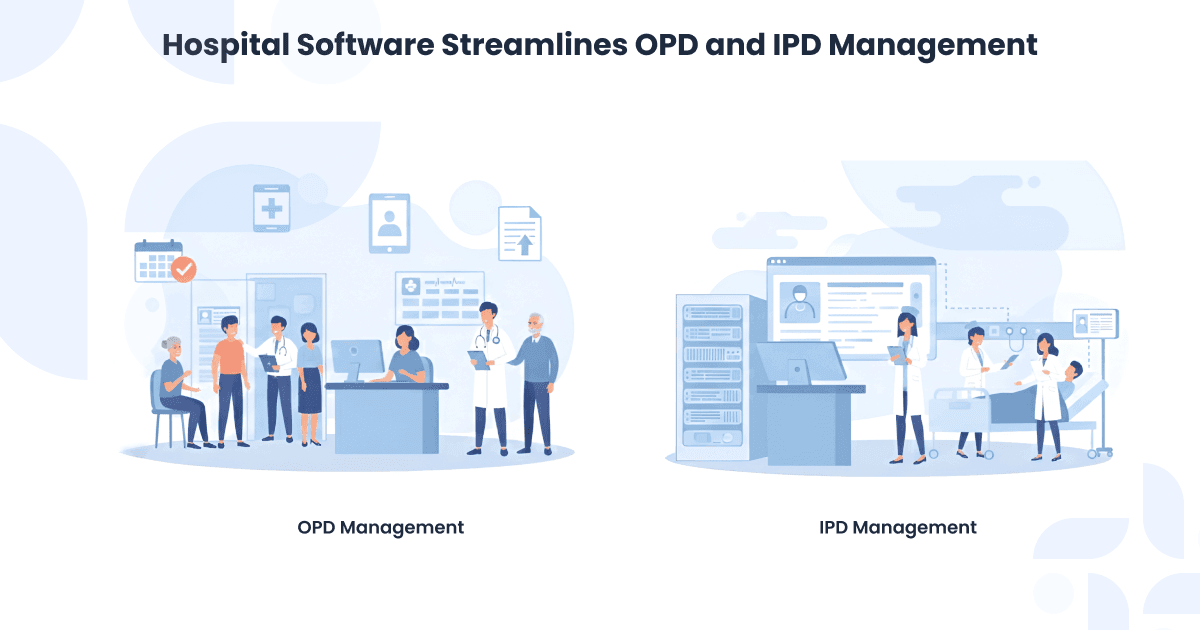
OPD management means taking care of patients who visit the hospital to see a doctor but do not stay in the hospital. It includes registering the patient, booking an appointment, meeting the doctor, getting a prescription, doing lab tests if needed, and paying the bill.
OPD areas are usually very crowded, so the work must be done quickly and correctly. A digital system like Healcard works as an OPD management software, helping hospitals manage OPD flow efficiently, allowing patients to get treatment faster while reducing pressure on staff.
What Is IPD Management?
IPD management means looking after patients who are admitted to the hospital and stay there for treatment. It includes admitting the patient, giving them a bed or room, planning their treatment, keeping nursing notes, and giving medicines on time.
When the treatment is completed, IPD management also handles the patient’s discharge and final bill. With hospital software such as Healcard acting as an IPD management software, all these steps are connected in one system, ensuring better coordination and smooth patient care without confusion.
Challenges of Managing OPD and IPD Manually
| Challenge | What This Means in Daily Hospital Work |
| Long waiting times for patients | Patients have to wait longer for registration, consultation, reports, or discharge because everything is done manually. |
| Too much paperwork for staff | Doctors and staff spend more time writing files and forms instead of focusing on patient care. |
| Mistakes in patient records and billing | Manual entries can lead to wrong patient details, missing information, or billing errors. |
| Repeated data entry | The same patient details are written again in OPD, IPD, lab, pharmacy, and billing, which wastes time. |
| Difficulty in tracking patient history | Old files are hard to find, so doctors may not get a complete view of the patient’s past treatment. |
| Poor coordination between departments | OPD, IPD, lab, pharmacy, and billing teams do not get updates on time, causing delays. |
| Risk of lost or damaged files | Paper files can be misplaced, torn, or damaged, leading to loss of important patient information. |
How Hospital Software Streamlines OPD Management
Modern OPD software for hospitals helps manage every step of outpatient care, from registration to billing, in a fast and organized way.
Quick Patient Registration
With hospital software, registering patients is fast and easy. For returning patients, their details are already saved, so it takes just a few seconds to register them. This helps reduce long waiting lines and saves time for both patients and hospital staff.
Easy Appointment Scheduling
Booking appointments becomes simple. The software shows available doctor slots, and patients can book a convenient time. It can also send reminders, so fewer appointments are missed. Doctors can manage their time better, and patients get timely consultations without delays.
Digital Prescriptions and Reports
Doctors can create prescriptions digitally, which are clear and easy for patients to read. Lab tests and reports are linked directly to patient records, so staff don’t have to dig through files to find them. This reduces mistakes, keeps everything organized, and ensures patients get the right treatment quickly.
OPD Billing Made Easy
Billing in the OPD is much faster and simpler with hospital software. The system automatically generates bills based on the services provided, making them accurate and transparent. Patients get their bills quickly, and hospital staff save a lot of time on paperwork.
Better Communication with Patients
Hospital software also helps hospitals communicate more effectively with patients. Notifications about appointment changes, test results, or follow-up reminders can be sent instantly via SMS or email. This keeps patients informed, reduces confusion, and helps them stay on top of their health.
How Hospital Software Streamlines IPD Management
Reliable IPD software for hospitals ensures smooth inpatient operations by connecting admissions, treatment, nursing care, and billing in one system.
Easy Patient Admission
Admitting a patient to the hospital is no longer a long, stressful process. With hospital software, staff can complete the admission in just a few clicks. Since all the patient information from the OPD is already available in the system, there is no need to fill in the same details again. This saves time for both staff and patients and reduces the chances of errors.
Efficient Bed and Ward Management
The software provides real-time information about bed availability in each ward. Staff can quickly assign beds and keep track of occupancy without any confusion. This ensures that patients are placed in the right wards without delays, even during busy hours.
Better Treatment and Nursing Coordination
Doctors can update treatment plans directly in the system, and nurses can record vital signs, medications, and care notes digitally. This ensures that everyone involved in patient care is on the same page. It helps prevent mistakes and allows staff to provide timely and accurate care.
Faster Discharge and Accurate Billing
When a patient is ready to leave, the software already has all the charges, room rent, medicines, lab tests, and doctor fees recorded. This makes the discharge process quick and hassle-free. Patients receive accurate bills, and the hospital avoids disputes or delays.
Improved Communication Between Departments
Hospital software allows different departments like labs, radiology, pharmacy, and nursing to communicate and share information instantly. This reduces delays in test results, medication delivery, and patient updates, ensuring everyone is on the same page.
Easy Tracking of Patient History
The system keeps a complete record of each patient’s medical history, treatment, lab results, and medications. Doctors can quickly review records to make informed decisions, improving the quality of care and reducing repeated tests.
Enhanced Reporting and Analysis
Hospital management can use the software to generate reports on patient admissions, bed occupancy, staff performance, and more. This helps in planning resources better, improving hospital efficiency, and ensuring patients get timely care.
Benefits of Using One Software for OPD and IPD
Using a single OPD IPD software system like Healcard brings many advantages for both patients and hospital staff:
- Saves time for doctors and staff: Everything from appointments to reports can be managed in one place, reducing repetitive work.
- Improves patient experience: Patients get faster service, smoother visits, and better communication between departments.
- Reduces paperwork and errors: Digital records minimize mistakes and make information easy to access.
- Enhances coordination between departments: OPD and IPD teams can share data instantly, avoiding confusion.
- Provides accurate and real-time data: Doctors and administrators can see up-to-date information anytime, helping them make better decisions.
- Helps hospitals operate more efficiently: Streamlined processes save resources and reduce delays.
- Supports better follow-up care: With all records in one system, doctors can track patient progress and plan treatments more effectively.
- Makes reporting and analysis easier: Hospitals can quickly generate reports and analyze trends, helping them improve services and plan more effectively.
How to Choose the Right Hospital Software
- Easy to use for staff: The software should be simple and user-friendly so doctors, nurses, and front-desk staff can learn it quickly without confusion.
- Complete OPD and IPD management: It should handle appointments, patient records, billing, admissions, discharges, and ward management smoothly in one system.
- Customization as per hospital needs: Every hospital works differently, so the software should be flexible enough to match the hospital’s workflow and requirements.
- Reliable support and proper training: Good customer support and training are important to help staff use the software confidently and solve issues quickly.
- Strong data security and compliance: Patient data must be kept safe, private, and protected as per healthcare rules and standards.
- Scalable for future growth: The software should grow with the hospital, whether it adds more doctors, departments, or branches in the future.
Choosing the right hospital software helps hospitals work more efficiently, reduces stress for staff, and improves the overall patient experience in the long run.
FAQs: OPD and IPD Management
OPD is for patients who come to the hospital to see a doctor and go home the same day.
IPD is for patients who are admitted to the hospital and stay for treatment.
Hospital software stores all patient information in one system. If an OPD patient is later admitted to IPD, their details, reports, and history are already available. This avoids repeated work and saves time.
It makes patient registration faster, helps book appointments easily, creates digital prescriptions, manages lab reports, and prepares OPD bills quickly. This reduces waiting time for patients.
It simplifies patient admission, shows bed availability, tracks treatment and nursing care, records medicines, and makes discharge and billing faster and more accurate.
Yes. Since most work is done digitally, patients spend less time waiting for registration, consultation, reports, and billing.
Hospital software is used in OPD, IPD, billing, pharmacy, laboratory, nursing, and administration. All departments stay connected through one system.
Hospitals should choose software that is easy to use, manages OPD and IPD completely, keeps data safe, offers good support, and can grow with the hospital.
Conclusion
Managing OPD and IPD work manually creates delays, extra workload, and confusion in daily hospital operations. Hospital software helps by bringing everything patients, doctors, records, billing, and departments into one smooth system.
With a digital solution like Healcard, hospitals can manage OPD and IPD more efficiently, reduce paperwork, and provide faster, better care to patients. Choosing the right hospital software makes work easier for staff and improves the overall patient experience in the long run.
Ready to Simplify Your Hospital?
Discover Healcard, the all-in-one EMR & Scheduling App trusted by doctors and hospitals.
📲 Try a free demo of Healcard today. Manage your hospital digitally, securely, and effortlessly.
📧 Email: support@healcard.com
🌐 Website: healcard.com